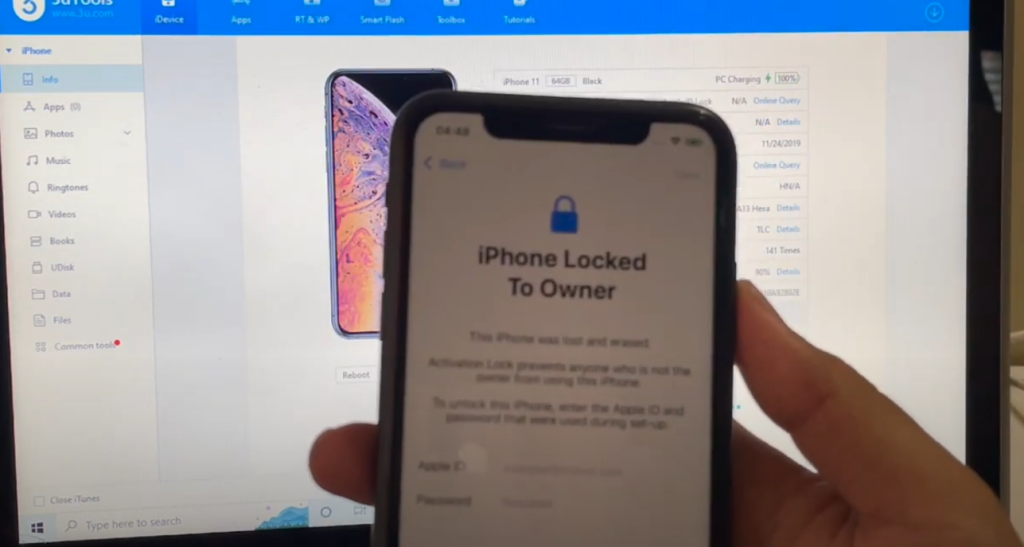
Permanent iCloud Activation lock removal on apple iPhone 11 running on iOS 15.5 which is the latest iOS version from Apple. Works on iPhone X, iPhone XS, iPhone XS Max, iPhone XR, iPhone 7, iPhone 7+, iPhone 6, iPhone 6+, iPhone 6S, iPhone 6S+, iPhone 5S, iPhone 5, iPhone 5C, iPhone 8, iPhone 8 Plus, iPhone 10, iPhone 10 Max, iPhone XR, iPhone SE 3 2022, iPhone 4S and iPhone 4 iPhone 11 iPhone 11 Pro 11 pro max iPhone 13, 13 Pro, 13 Pro Max, 13 Mini. Helps remove activation lock from apple iPhones. You can remove iCloud lock from iPads, iPhone , iPod. Comes with network fix and camera fix. Works on iOS 12, iOS 13, iOS 11, iOS 10, iOS 9, iOS 8 and iOS 7 as well. and iOS 11. Works on iOS 13.3 ios 12.1.1, 12.2.4. New latest cfw iCloud unlock method 2026. Using custom ipsw/ For users on iOS 15.5, a “perfect update” would prioritize stability, security, and a seamless experience. While iOS 15.5 itself is an older version, the desire for a smooth, reliable operating system remains constant.
iCloud Activation Lock
Removal Tool.
The CheckM8 is the perfect solution for those in search of a straightforward and powerful tool that can remove Activation Lock from iCloud locked iPhone or iPad. With just one click, this tool can unlock your device and bypass the Activation Lock without any complications.
The CheckM8 tool enables the removal of Activation Lock on iPhones ranging from iPhone 5S to iPhone 16 Pro Max, including both GSM and CDMA (MEID) versions. It’s one tool for the entire range of device models!
CheckM8 Activation Lock Windows Bypass
CheckM8 Activation Lock MAC Bypass
Key benefits of updating to iOS 15.5 (if you’re on an even older version of iOS 15, which is unlikely now):
- Bug Fixes and Stability: The update resolved several known issues, such as a bug that could cause home automations triggered by people leaving or arriving to fail. These fixes contribute to a more reliable and consistent user experience.
- Minor Feature Improvements: While not a major feature release, iOS 15.5 did bring some refinements. These included updates to Apple Cash, making it easier to send and request money directly from the Wallet app, and a new setting in Apple Podcasts to limit stored episodes and automatically delete older ones, helping manage storage. Universal Control, which allows using one mouse/keyboard across multiple iPads and Macs, also exited beta in iPadOS 15.5.
What makes it a “perfect update” for someone on 15.5?
Since iOS 15.5 is not the latest version of iOS, the concept of a “perfect update” for it now really means ensuring your device is running optimally on that version. This involves:
- Maintaining good performance: While iOS updates can sometimes impact older devices, iOS 15.5 was generally seen as stable. If you’re currently on it and satisfied with performance, there’s no inherent need to upgrade beyond it if you prefer to stay on that specific iOS branch.
- Avoiding unnecessary issues: For many, a “perfect update” is one that doesn’t introduce new problems. If your current iOS 15.5 setup is working flawlessly, that’s already a significant win.
- Considering future updates: Be aware that staying on an older iOS version means you’ll eventually miss out on new features, app compatibility, and the latest security patches. However, if your needs are met and performance is solid, iOS 15.5 can continue to be a perfectly functional OS for a time.
Enhanced Security: iOS 15.5 included over 25 security fixes, addressing various vulnerabilities in areas like WebKit, the kernel, and Wi-Fi. Staying updated is crucial for protecting your device and data from potential exploits. If you’ve ordered a license for an iPhone XR, XS, XS Max, or up to the 16 Pro Max, please note that it may take 1 to 7 business days to process your order. However, most orders are typically delivered within 12 to 72 hours. Once your order is complete, you can proceed to use the software.
Most orders are completed the next day after noon UTC +0, but there may be delays on Sundays and some holidays.
CheckM8 Activation Lock Windows Bypass
CheckM8 Activation Lock MAC Bypass
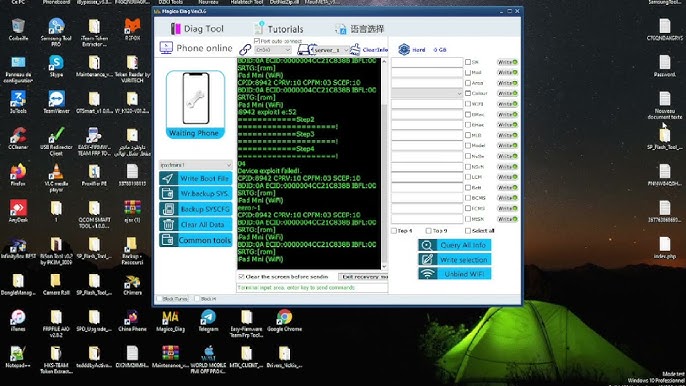
We will send you an email when your order is complete. You can also check the status online or by reconnecting your device to the software, which will show a completion status notification.
The iCloud Bypass refers to a procedure that allows users to skip the Activation Lock on their iPhone or iPad. In essence, the bypass enables the device to bypass the activation step and recognize that it has already been activated.
- As a result, once you utilize the bypass to skip the Activation Lock, the device ought to function normally without any complications, except if you restore it to its factory settings.
If you employ the CheckM8 Activation Lock Bypass service, you have the benefit of reusing the software for free to bypass the Activation Lock on your iPhone or iPad anytime you require it again!